



You invested in brand photography. You have a library of images you love. That was the goal, right?
But wait… why are they just sitting on your computer?
Maybe you’ve updated your profile photo on Facebook and Instagram. Perhaps you’ve added one to your website, on your “about me”page. You might have even used one in a social media post.
But now? You’re not quite sure what to do with them.
We’re so focused on getting those beautiful images that we can get caught up thinking too much about using them!
Brand photography isn’t just about having beautiful images — it’s about using them strategically so they support your business.
I recently updated my own brand images, so I’m going through the same thing! Many of the concerns I’m raising here are fears or blocks I’ve had myself. But we can get through this together and work our brand images hard. Here are some tips on getting out of your head and using your beautiful branding photos.

Your Branding Images Are Meant to Be Used (A Lot!)
Entrepreneurs typically worry about showing their faces too much in their marketing. This is definitely a biggie for me, personally. But studies show that people are not seeing your content nearly as often as you think. So it’s an important block to get over!
Use your brand photos consistently – it doesn’t make you repetitive, it makes you recognizable.
And for service-based businesses especially, that matters.
Start With the Places That Matter Most
Before you worry about posting more on social media, start with the core areas where people are already looking.
Your Website
This is the big one, and should be your biggest priority.
Your website should feel like you, not a template filled with outdated images or placeholders.
That means:
- Replacing stock images with your own photos
- Including images throughout your pages (not just one headshot)
- Showing different sides of your personality and work
When someone lands on your site, they should feel like they’re getting a sense of who you are, not just what you do. Remember, people want to feel like they know the person they want to hire!
Your About Page
This is one of the most visited pages on any service-based website. And it’s often where people decide if they trust you.
Instead of just one photo, include:
- A primary image
- A few supporting images (more relaxed, more candid)
This helps you feel more approachable and real.
Your Email Marketing
If you send email newsletters (even occasionally), your brand photos belong there, too.
You might include:
- A small image in your signature
- A photo at the top of a newsletter
- A relevant image when sharing a story or insight
It adds a layer of connection that text alone can’t do.
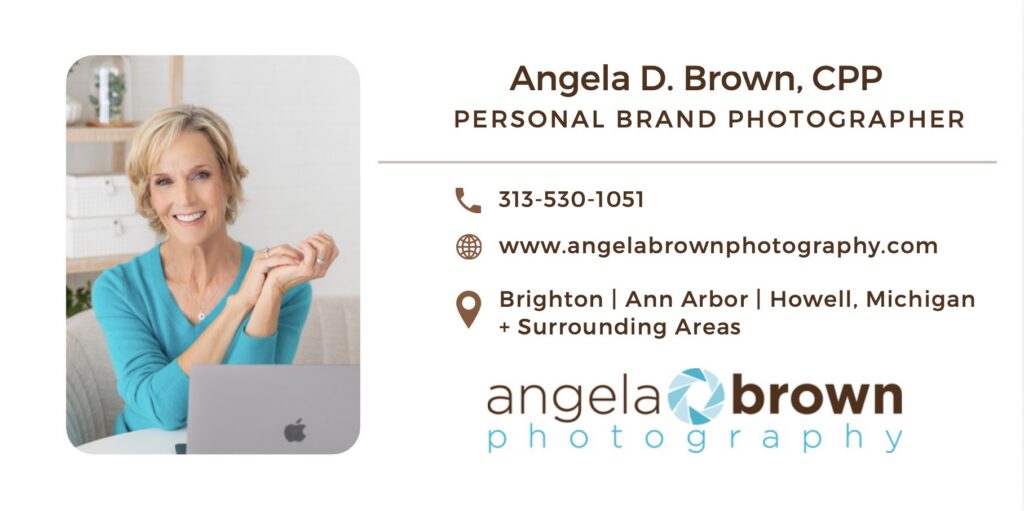
Even if you don’t have an email list, you can (and should!) add a custom footer to your email correspondence. Again, it makes you a real person and brings the professional level up on your client and prospect communication. I love mine, and recently updated it with an image from my new brand image library:
Then Use Them to Stay Visible (Without Overthinking It)
Once your core platforms are updated, your photos become a tool for staying visible.
Social Media
You don’t need a complicated plan. You can rotate through your images and use them to:
- Share insights
- Tell stories
- Start conversations
The photo doesn’t always have to “match” the content perfectly. It just needs to feel consistent with your brand.
Especially if you’re pivoting from a corporate career, LinkedIn is a powerful platform.
Instead of only using one headshot, you can:
- Add a banner image
- Include brand photos in posts
- Share content that feels more personal and less formal
This helps bridge the gap between your past experience and your current business.
Your Blog Posts
If you like to write blog posts or articles on your website, use at least one image from your brand photo library to complement your post. Remember, the photo doesn’t have to totally align with your topic; just having that visual of you will up the approachability factor.
If you don’t already have an author bio after all of your blog posts, now’s the time to do one! Don’t know what I mean? Take a look at mine at the end of this blog post. I use the “Simple Author Box” plugin to do mine.
Go Back and Replace Other Images
Take a look at your blog posts. Are there some older articles where you don’t really love the image(s) you used there? It’s perfectly fine and smart to replace them with images from your new collection.
Do you have a regular speaker bio image you share when being featured? It’s time to update that with a favorite image of you looking at the camera.
The Goal Isn’t More Content — It’s More Connection
It’s easy to think:
“I need to post more.”
“I need to be more consistent.”
But the real goal is simpler than that.
You want someone to:
- Land on your website
- Read something you’ve written
- See your photos
- And think, “I feel like I know her.”
That’s what builds trust, and that’s what leads to inquiries.
Join Me in This Simple Challenge!
If you already have brand photos, let’s try this:
Pick 3 images and use them this week:
- Update one section of your website
- Share one post on LinkedIn
- Add one to your email signature
That’s it! And I’m joining you in this challenge.
Ready for Brand Photos You’ll Actually Use?
If you’re in the Brighton, Howell, Ann Arbor or Metro Detroit area and thinking about brand photography, we’ll plan your session with real usage in mind — not just a gallery of pretty images.
The goal isn’t just to have photos, it’s to have images that support the business you’re building.

Angie is a brand and headshot photographer serving the Ann Arbor, Brighton + Howell, Michigan area. She works with entrepreneurs to create strategic, personality-driven branding images that elevate their visual brands and attract their dream clients.
In her studio, she also crafts polished headshots for professionals and executives who want to show up with confidence.